Table of Contents
A small business website is often the first place a potential customer meets your brand. In a few seconds, they decide whether you look trustworthy, whether you can solve their problem and whether it is worth getting in touch. If the website is slow, confusing or out of date, they simply leave and choose a competitor.
The good news is that an effective website does not need to be huge or expensive. It needs the right features, built in the right order. This guide covers the eight essential features that turn visitors into customers, the mistakes to avoid and a practical checklist for planning your next website project.
Why Your Small Business Website Still Matters in 2026
Social media profiles, marketplaces and AI assistants all help people discover businesses. But they are rented spaces with rules you do not control. Your website is the one digital asset you fully own. It is where you explain your offer in your own words, collect enquiries and build a direct relationship with customers.
Your website also feeds other channels. Search engines read it to decide when to show your business, AI tools use it to understand what you do, and your ads and social posts send traffic to it. A weak website quietly reduces the return on every other marketing activity.
It Builds Credibility Before the First Conversation
Many buyers research a company online before they ever call or visit. A clear, professional website reassures them that you are established and reliable. A missing or outdated site raises doubts, even if your service is excellent.
It Works for You Around the Clock
Your website answers questions, shows your work and captures leads at any hour. For a small team, that means fewer repetitive enquiries and more time spent with customers who are ready to buy.
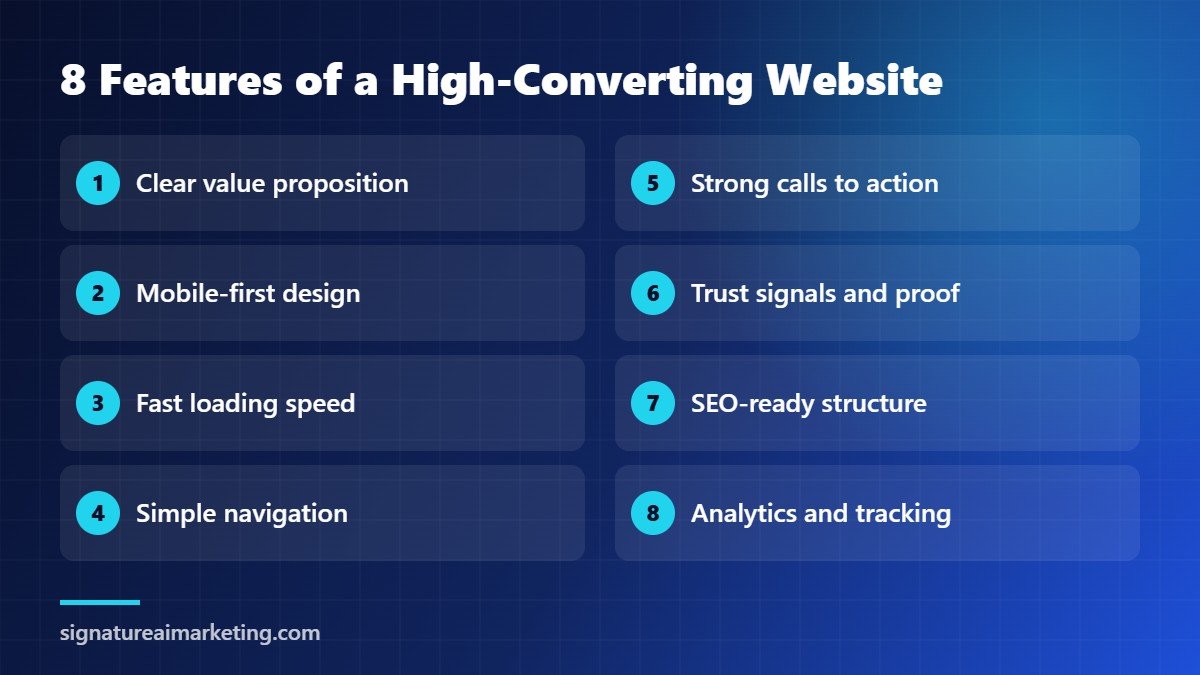
8 Essential Features of a High-Converting Small Business Website
These features apply whether you run a consultancy, a clinic, a restaurant, a training institute or an online shop. Together, they form the foundation of a website that attracts, convinces and converts.
1. A Clear Value Proposition Above the Fold
Visitors should understand what you do, who you help and why you are different within five seconds of landing on your homepage. Use a direct headline, a short supporting sentence and one obvious next step. Avoid vague slogans such as “excellence in everything we do”. Say plainly what problem you solve.
2. Mobile-First, Responsive Design
Most people now browse on their phones, and Google uses the mobile version of your site for indexing and ranking. Google’s own mobile-first indexing guidance explains why the mobile experience must contain the same important content as the desktop version. Design for the smallest screen first, with large buttons, readable text and forms that are easy to complete with a thumb.
3. Fast Loading Speed
Every extra second of loading time gives visitors a reason to leave. Compress images, use modern formats, limit heavy plugins and choose reliable hosting. You can test your pages for free with PageSpeed Insights, which also reports Google’s Core Web Vitals, the metrics that measure loading, responsiveness and visual stability.
4. Simple, Predictable Navigation
Keep your main menu short, usually five to seven items, with labels people already understand, such as Services, About, Work, Blog and Contact. Every important page should be reachable within two or three clicks. If visitors have to search for basic information, they will assume the rest of your business is just as complicated.
5. Strong Calls to Action on Every Page
A call to action tells visitors exactly what to do next: book a call, request a quote, download a guide or buy now. Place one primary action near the top of each page and repeat it after key sections. Use specific button text such as “Get a Free Quote” rather than generic words like “Submit”.
6. Trust Signals and Social Proof
People trust other customers more than they trust marketing claims. Show testimonials with real names, case studies with measurable results, client logos, reviews, certifications and photos of your team. Make your contact details, physical address and business information easy to find. These details reassure both visitors and search engines that you are a genuine business.
7. SEO-Ready Structure and Content
A beautiful website that nobody can find will not grow your business. Each page should target a clear topic, with a descriptive title, a helpful meta description, logical headings and internal links to related pages. Google’s SEO Starter Guide is an excellent free reference. Increasingly, the same structure also helps AI assistants understand and recommend your business, which is the focus of our SEO & AI Visibility service.
8. Analytics and Conversion Tracking
If you cannot measure what visitors do, you cannot improve it. Install analytics from day one, track form submissions, calls and purchases as conversions, and review the results every month. Our guide to marketing analytics for small business explains which numbers matter most and how to set them up.
Accessibility: Build a Website Everyone Can Use
An accessible website works for people with visual, hearing, motor or cognitive impairments, and it usually works better for everyone else too. Use sufficient colour contrast, descriptive alt text for images, clear link text, keyboard-friendly navigation and properly labelled form fields. The Web Content Accessibility Guidelines (WCAG) from the W3C are the international standard to follow.
Accessibility is not only the right thing to do. It widens your audience, reduces legal risk in many markets and often improves search performance, because many accessibility practices also make your content easier for search engines to understand.
Common Small Business Website Mistakes to Avoid
- Designing for the owner, not the customer. Your website should answer customer questions, not list everything you are proud of.
- Too much text, too little structure. Long, unbroken paragraphs are hard to scan. Use headings, short paragraphs, lists and images.
- Hidden contact details. If people have to hunt for your phone number or contact form, many will give up.
- Stock photos everywhere. Generic images make you look like every other business. Real photos of your team and work build far more trust.
- No plan for updates. Outdated prices, old news and broken links signal that the business may not be active. Schedule regular reviews.
- Ignoring security. Use HTTPS, keep WordPress, themes and plugins updated, and take regular backups.
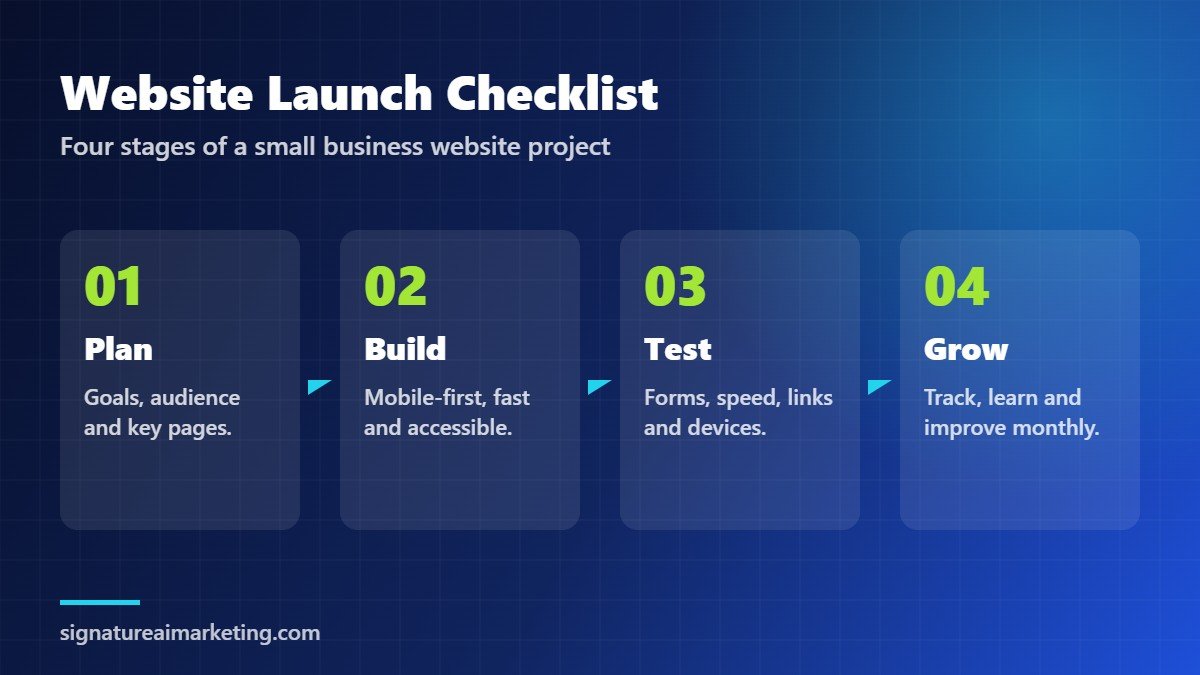
Small Business Website Launch Checklist
Use this four-stage checklist to plan a new website or a redesign. It keeps the project focused on results rather than decoration.
Stage 1: Plan
- Define the main goal of the website, such as leads, bookings or online sales.
- Describe your ideal customers and the questions they ask before buying.
- List the essential pages: Home, Services, About, Contact and a blog or resources section.
- Gather testimonials, case studies, team photos and brand assets.
Stage 2: Build
- Design mobile-first and keep the layout consistent across pages.
- Write clear headlines and calls to action for every page.
- Optimise images and choose fast, secure hosting.
- Add page titles, meta descriptions and internal links.
Stage 3: Test
- Submit every form and check that messages arrive.
- Test the site on several phones, tablets and browsers.
- Run a speed test and fix the largest issues.
- Check spelling, links, contact details and legal pages.
Stage 4: Grow
- Track conversions and review results monthly.
- Publish helpful content that answers customer questions.
- Test new headlines, offers and page layouts.
- Keep software updated and back up the site regularly.
What to Write on the Key Pages of Your Small Business Website
Design attracts attention, but words persuade people to act. Many small business website projects stall because the content is left until the end. Plan your key messages early, and write for your customer rather than for yourself.
Homepage
Lead with the problem you solve and the result customers can expect. Follow with a short overview of your main services, three or four trust signals and a clear call to action. The homepage should guide visitors to the right next page, not try to say everything at once.
Services Pages
Give each important service its own page. Explain who it is for, what is included, how the process works and what results to expect. Answer common objections, such as cost, timing and risk, and finish with a specific next step. Separate pages also help search engines match each service with the right searches.
About Page
People buy from people. Share your story, your values and the experience of your team, but keep the focus on why this matters to the customer. Real photos and short biographies make a small business feel approachable and credible.
Contact Page
Keep the form short and ask only for the information you truly need. Include your phone number, email, business hours and location, and tell visitors how quickly you will respond. A clear promise such as “we reply within one business day” increases enquiries.
Local SEO: Help Nearby Customers Find You
If you serve customers in a particular city or region, local search is one of the most valuable sources of leads for a small business website. Make sure your business name, address and phone number are identical on your website, your Google Business Profile and online directories.
- Create a page for each main location or service area you cover.
- Mention your city or region naturally in page titles, headings and content.
- Embed a map and show directions on your contact page.
- Ask satisfied customers for reviews and respond to every review politely.
Keep Your Website Healthy With a Simple Maintenance Plan
Launching a small business website is the beginning, not the end. Without regular care, even a great site becomes slow, insecure or out of date. Agree on a simple routine: weekly backups and security checks, monthly software updates and a review of forms and analytics, and a quarterly content refresh for your most important pages. A website that is maintained consistently protects your investment and keeps delivering leads for years.
How Much Does a Small Business Website Cost?
Costs vary widely depending on the number of pages, the features you need, custom design, content creation and ongoing support. A simple brochure site built on a template costs far less than a custom e-commerce platform with integrations. Rather than starting with price, start with the business goal. A website that generates steady enquiries is an investment that pays for itself, while a cheap site that nobody uses is the most expensive option of all.
When comparing quotes, ask what is included: design, copywriting, SEO setup, analytics, training, hosting, security and maintenance. Hidden gaps in these areas are a common reason why website projects go over budget.
How Signature AI Marketing Builds Websites That Grow Your Business
Our Website Development service creates modern, responsive and high-performing websites tailored to your business, from corporate sites to e-commerce platforms. We combine strategy, design, SEO foundations and analytics, so your new website is ready to attract and convert customers from launch day.
Because a website is only as strong as the message behind it, we often pair development with our Brand & Messaging work. If you are planning a new website or a redesign, get in touch and we will review your current site and recommend the fastest improvements.
Frequently Asked Questions About Small Business Websites
What pages should a small business website have?
Most small businesses need a homepage, a services or products page, an about page, a contact page and a blog or resources section. Add case studies, pricing or FAQ pages if they help customers make a decision.
How long does it take to build a small business website?
A simple website can be ready in a few weeks, while a larger custom or e-commerce project may take several months. Gathering content, photos and approvals early is the best way to keep the timeline short.
Should I use WordPress for my small business website?
WordPress is a flexible choice for many small businesses because it is easy to update, supports strong SEO and has a large ecosystem of themes and plugins. The right platform depends on your goals, budget and the features you need.
How often should I update my website?
Update software and plugins regularly, review key pages at least every quarter and add fresh content such as blog posts or case studies every month if possible. Plan a larger redesign every few years as your business and technology change.
How can I get more customers from my existing website?
Clarify your headline and offer, add strong calls to action, show more social proof, improve page speed and track conversions. Small changes to the pages that already get traffic often deliver the quickest results.
Do I need a blog on my small business website?
A blog is not essential on day one, but it is one of the most effective ways to attract visitors over time. Helpful articles answer the questions customers already search for, show your expertise and give search engines and AI assistants more reasons to recommend your business. Even one useful article a month can make a noticeable difference within a year.
What makes a small business website secure?
Use an SSL certificate so the site loads over HTTPS, keep all software and plugins updated, use strong passwords with two-factor authentication, limit admin access and take automatic backups that are stored off the server. A good hosting provider and a regular maintenance routine handle most security risks before they become problems.
About the Author
Dr. Atique Ur Rehman is the founder and CEO of Digital and AI Solutions (DAIS) and a retired military officer with UN peacekeeping experience. He is the author of more than 20 books on geopolitics, governance, and AI, including The Sovereign Inforg, Future of Humanity, and New Information Order.
He holds a PhD in International Relations and writes for The Nation and Daily Times.